How AI Tracks Form to Prevent Injuries
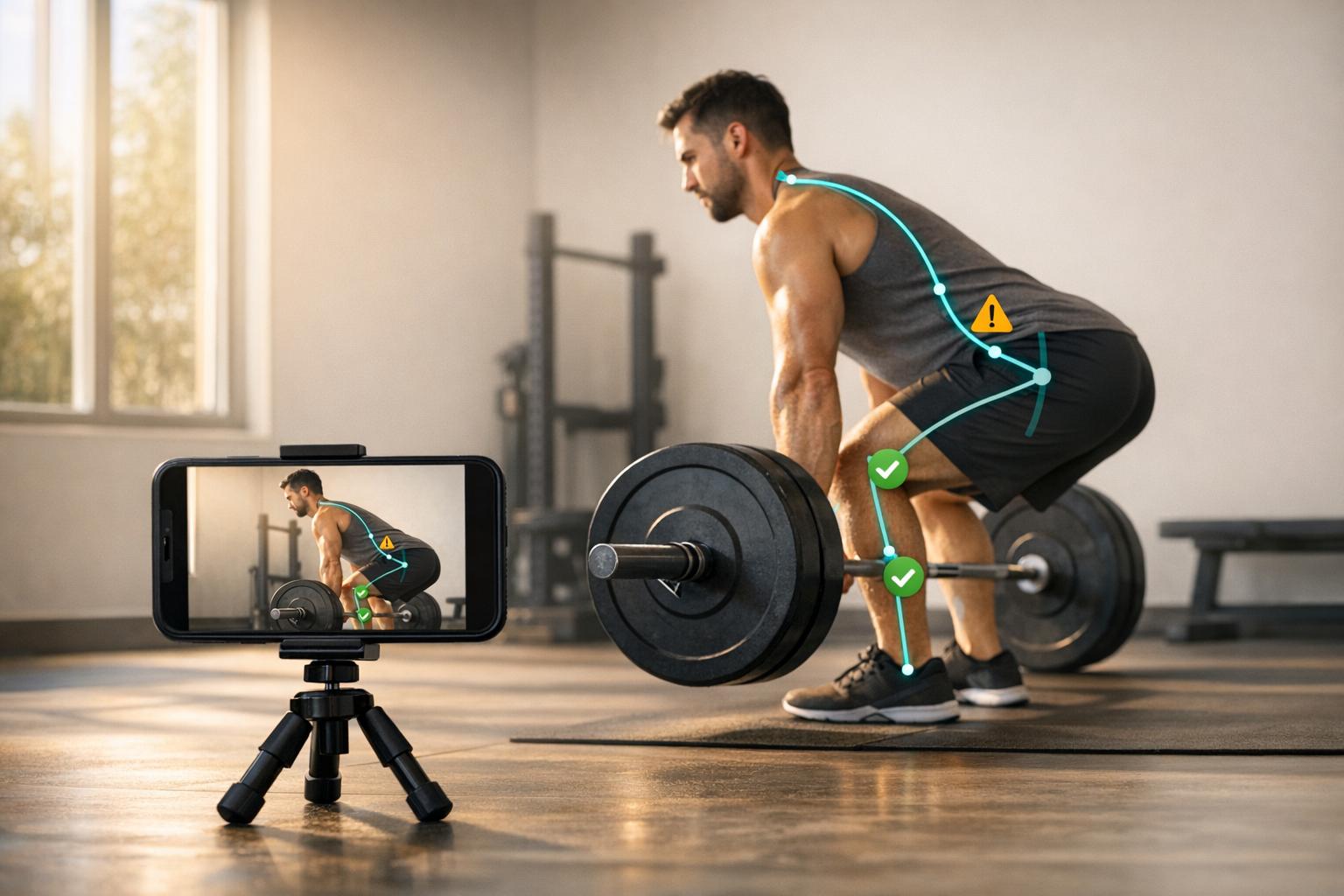
AI-powered motion tracking is changing how people prevent injuries during strength training. Using your smartphone camera, this technology identifies and analyzes movement patterns, spotting errors like knee valgus or spinal rounding that increase injury risk. It provides personalized feedback to improve form, reduce injury rates by 20%, and boost performance gains by 15%. Tools like CueForm AI make video form analysis accessible to everyday lifters, offering detailed insights and a saved history of your checks through simple video uploads. Whether you're squatting, deadlifting, or bench pressing, AI ensures safer, more effective workouts by addressing key form issues in real time.
Why This AI Fitness Tracker Blows Others Away
How AI Motion Tracking Works in Strength Training
This section dives into the mechanics of AI motion tracking and how it transforms strength training by analyzing movement patterns.
What is AI Motion Tracking?
AI motion tracking uses your smartphone camera to record your lifts. Through computer vision, it processes each video frame to identify your body, while pose estimation maps key points like your shoulders, hips, knees, and ankles. These points form a digital skeleton that allows for detailed biomechanical analysis[1]. With this model, the system can measure joint angles (like knee flexion), track bar paths, and evaluate movement patterns - all in real time[1][2].
The intelligence behind these systems comes from machine learning, trained on vast datasets of proper and improper lifting techniques. This training enables the AI to detect subtle errors, such as a "butt wink" (lumbar flexion during a squat) or dynamic knee valgus (knees caving inward), and provide specific feedback for improvement[1]. In testing, these systems have shown an 80% agreement rate with expert human coaches in identifying form issues. They can even spot asymmetries as small as 5° in hip height or joint alignment[2].
Now, let’s explore the key technologies that make this possible.
Core Technologies Behind Motion Tracking
AI motion tracking relies on several advanced technologies, including computer vision, pose estimation, and a biomechanical engine. Here’s how they work together:
- Computer Vision: This processes video input from your smartphone, breaking it down frame by frame.
- Pose Estimation: Models like MediaPipe, YOLO, and PoseNet map 2D or 3D joint positions to create a digital skeleton[1][2].
- Biomechanical Engine: It translates joint coordinates into actionable metrics, such as joint angles, movement speed, and bar path trajectory[1].
- Machine Learning: Neural networks and large datasets allow the system to identify errors and refine its feedback over time[1][2].
Vision-language models also improve analysis by addressing occlusion issues, such as when a barbell blocks the camera’s view[2].
| Technology | Function | Common Models/Tools |
|---|---|---|
| Computer Vision | Processes video frames from smartphones | Smartphone cameras, vision-language models[1][2] |
| Pose Estimation | Tracks 2D/3D joint positions | MediaPipe, YOLO, PoseNet[1][2] |
| Biomechanical Engine | Calculates metrics like joint angles and velocity | Custom algorithms, VBT tools[1] |
| Machine Learning | Identifies and corrects movement errors | Neural networks, large datasets[1][2] |
This combination of technologies brings high-level biomechanical analysis - once exclusive to elite sports science labs - straight to your smartphone. It delivers professional-grade insights into your movement patterns without requiring expensive equipment or specialized facilities.
How CueForm AI Analyzes Your Exercise Form
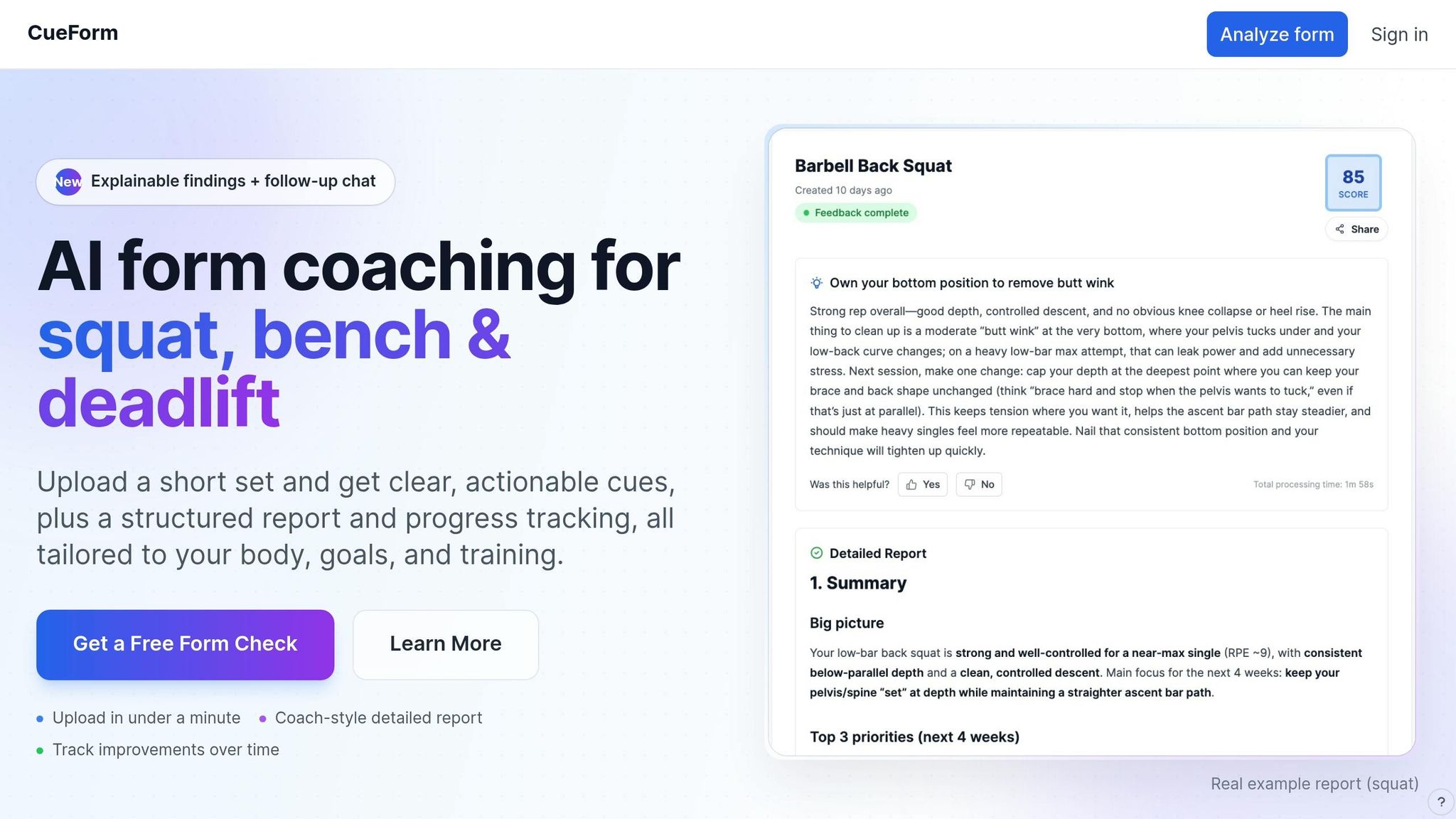
CueForm AI uses advanced AI motion tracking to help refine your lifting technique. With just your smartphone, it acts as a virtual form coach, guiding you through four key steps: uploading your video, analyzing your movement, providing tailored feedback, and saving your checks so you can compare them. Whether you’re working on squats, bench presses, or deadlifts, the platform offers feedback specific to these lifts, avoiding generic advice and focusing on what matters most.
Step 1: Upload Your Video and Detect Body Position
Start by uploading a side-angle video of your lift. The AI processes your video frame-by-frame, using computer vision to map out key body points like shoulders, elbows, hips, knees, and ankles. This creates a digital skeleton of your movement. By calculating joint angles, it evaluates depth, flexion, and extension. For barbell exercises, it also tracks the bar’s vertical path to ensure proper balance and efficiency. To get accurate results, record a clear, full-body video from the side.
Step 2: Analyze Movement Mechanics
Next, the AI dives into the mechanics of your specific lift:
- For squats, it checks for proper depth, knees caving in, heels lifting, pelvic tuck at the bottom, and hips shooting up first.
- For bench presses, it evaluates whether the bar reaches your chest, bar path, upper-back tightness, and hip, foot, and wrist position.
- For deadlifts, it focuses on lower-back rounding, hips rising ahead of the bar, bar path, and leaning back at lockout.
The system compares your movements to models of correct technique, flagging common issues like knee valgus or a "butt wink" that could increase injury risk.
Step 3: Receive Personalized Feedback and Cues
Once the analysis is complete, you’ll get feedback on what the AI found. Each recommendation comes with clear, actionable coaching cues, so you know exactly what to adjust. The feedback is transparent - every suggestion is tied to specific findings, allowing you to understand why changes are needed. Plus, the platform takes into account the contextual information you provide, such as your goal, weight, reps, effort, and any pain, so the advice fits the set you filmed. This approach not only helps prevent injuries but also boosts performance.
Step 4: Track Progress and Get Ongoing Support
CueForm AI doesn’t stop at feedback. You can ask the coach follow-up questions like, “What should I focus on feeling during this lift?” or ask why a finding was flagged. Over time, your saved checks show how your technique holds up as the weight on the bar goes up.
A form check gives you the most useful thing to work on and how to apply it, every finding with video evidence, a written report with a cue to practice, and up to 10 coach replies. Your first form check is free. After that, a form check costs $10, or a plan with 12 checks a month costs $20 a month or $180 a year. See current pricing.
Common Injury Risks Detected by AI
Typical Form Breakdowns That Cause Injuries
When it comes to squats, knee valgus - where the knees collapse inward - can increase the likelihood of ACL injuries by 3.7 times compared to proper knee alignment [2]. Another common squat issue is lumbar flexion, often called a "butt wink." This happens when the lower back rounds at the bottom of the movement, potentially shifting stress from the muscles to the spinal ligaments and discs.
For deadlifts, spinal flexion - rounding the back during the lift's initial pull - can create dangerous compression and shear forces on the vertebrae, increasing the risk of lower back strain or even disc herniation [2]. AI also flags stripper squats, where the hips rise faster than the shoulders, which can place significant shear stress on the lower spine [2]. Meanwhile, in bench presses, elbow flaring puts unnecessary strain on the shoulders, raising the chance of impingement. Additionally, bouncing the bar off the chest can harm soft tissue.
| Exercise | Common AI-Detected Error | Primary Injury Risk |
|---|---|---|
| Squat | Knee Valgus | ACL tears, patellar tendinitis [1][2] |
| Squat | Lumbar Flexion (Butt Wink) | Spinal disc compression and shear force [1] |
| Deadlift | Spinal Flexion | Lower back strain and disc herniation [2] |
| Bench Press | Elbow Flaring | Shoulder impingement and joint stress [2] |
| Squat | Early Knee Extension | Shear force on the lumbar spine [2] |
How AI Identifies and Flags Injury Risks
AI excels at detecting these errors by continuously analyzing movement patterns. It compares real-time angles to biomechanical benchmarks derived from thousands of examples of correct and incorrect form. When the system identifies risky patterns - like inward knee movement or excessive spinal rounding - it immediately flags them. The table above highlights some of the most frequent errors and their associated risks.
One of the standout features of AI is its reliability. It consistently identifies form issues with an 80% agreement rate with expert human coaches [2]. This level of precision ensures that lifters receive actionable feedback to prevent injuries.
As certified functional strength coach Zach Lush points out:
In a team setting, I can watch maybe 5-6 athletes closely during a lift session [2].
AI tools like CueForm AI take this to the next level, offering detailed and consistent analysis that helps athletes develop safer and more effective training habits.
How to Build Safer Training Habits with AI
Using CueForm AI Reports and Feedback
CueForm AI takes the guesswork out of improving your training form by providing detailed feedback on injury risks and movement patterns. Here's how it works: upload a video of your lift, and the AI writes a report. It highlights issues like knee valgus or bar path deviations, with video evidence for each finding.
Each report centers on a cue to practice, such as "drive knees out" for squats or "keep your upper back tight" for bench presses. These cues are designed to not only enhance performance but also reduce the likelihood of injuries. To stay on track, upload a new video weekly and compare your checks over time to see whether issues like heels lifting or knee cave are fading.
To make the most of the system, review your feedback within 24 hours of uploading. Then, apply the suggested cues in at least 80% of your sets during your next workout. If you’re unsure about a specific movement, a form check includes coach replies. You can ask questions like, "What should I feel during this exercise?" and get clear, actionable advice.
If you train several times a week, a monthly or annual plan lets you run form checks regularly instead of occasionally. Frequent checks make it easier to spot recurring issues early, before they turn into setbacks.
Conclusion
AI-powered motion tracking is reshaping the way we approach injury prevention and performance improvement. By offering data-driven feedback on every rep of the set you upload, tools like CueForm AI reduce the guesswork between coaching sessions. They identify common squat form mistakes before they escalate into injuries, supporting safer and more effective training.
Research shows that personalized AI assessments can lead to better outcomes compared to traditional coaching methods [2]. This level of precision can mean the difference between steady progress and setbacks that disrupt your routine.
What makes this technology stand out is its ability to provide expert-level guidance in real time. It takes complex biomechanical data and simplifies it into actionable advice you can use immediately. Whether you're working out solo in your garage or following a program without direct supervision, AI enhances your training by tailoring feedback to your body's unique needs and goals.
"AI is no longer a futuristic concept; it's actively revolutionizing the fitness landscape, offering sophisticated tools that bring expert-level biomechanical feedback to the palm of your hand."
– CueForm AI [1]
Getting started is straightforward: upload a video, review the AI's insights, and incorporate the suggested cues into your next session. Over time, compare your checks to track progress, and use coach replies to fine-tune your technique. With consistent use, you'll develop safer habits that pave the way for long-term strength and performance gains.
FAQs
How should I set up my phone camera for the most accurate form analysis?
To ensure the best analysis of your form, record in a well-lit space with minimal distractions in the background for clear video quality. Position your phone at either a front or side angle to capture your entire body without any distortion, making sure your full range of motion stays in the frame. For stability, use a tripod or place your camera on a steady surface, especially to capture the lowest and highest points of your movement.
How accurate is AI form feedback compared to a real coach?
AI-based feedback tools, such as CueForm AI, are built to pinpoint technical issues in strength training. These systems can analyze movement patterns to detect problems like knees caving in, improper depth, or a rounding back, though accuracy varies with camera angle and video quality. This makes them a useful tool for refining technique and lowering the risk of injuries.
That said, AI can't replace the human touch. It lacks the nuanced judgment and emotional encouragement that a personal trainer provides. Instead, it serves best as a complement to human coaching, offering precise analysis while trainers deliver personalized guidance and motivation.
Can AI motion tracking still work if the barbell blocks the camera view?
AI motion tracking systems can still operate effectively even when the barbell obstructs the camera's view. By relying on advanced computer vision techniques such as pose estimation and joint tracking, these systems can analyze movement and body positioning even with limited visibility. This technology enables real-time feedback on exercise form, helping users minimize injury risks and enhance their performance.